¿ImportToD365 usa IA?+
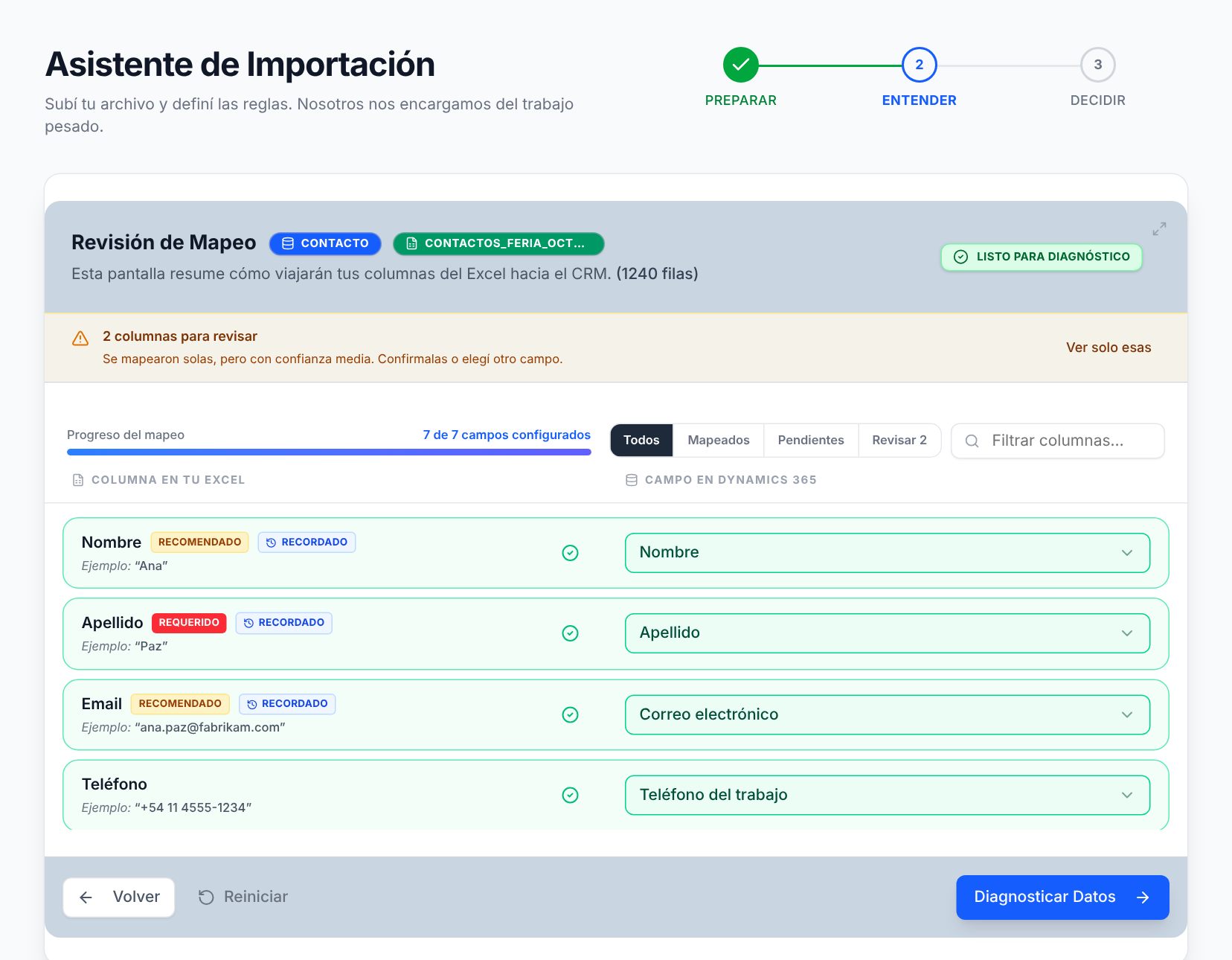
No, y es a propósito. Las sugerencias de mapeo comparan el nombre de tus columnas con los campos de Dataverse, y las validaciones son reglas que se pueden verificar: formato, campos requeridos, referencias y posibles duplicados. Cada decisión la tomás vos. Lo que hace ImportToD365 es cuidar los datos que después lee tu IA.
¿Se conecta con Copilot o con mis agentes?+
No. ImportToD365 trabaja un paso antes: controla qué entra a Dynamics 365 / Dataverse, que es de donde leen Copilot, los agentes y la búsqueda. No necesita integrarse con ellos.
¿Limpia los datos que ya tengo en el CRM?+
No. ImportToD365 cuida lo que entra: no modifica, no fusiona y no borra registros existentes. Lo que sí hace es usar tu CRM como referencia, comparando cada fila nueva contra lo que ya tenés para que no sumes duplicados.
¿Qué necesito para empezar?+
Una cuenta de Microsoft con acceso a Dynamics 365 / Dataverse online y permiso para crear registros en la entidad que vas a importar. No se instala nada en tu Dynamics: es una aplicación web que trabaja con tus propios permisos.
¿Pueden modificar o borrar datos existentes de mi CRM?+
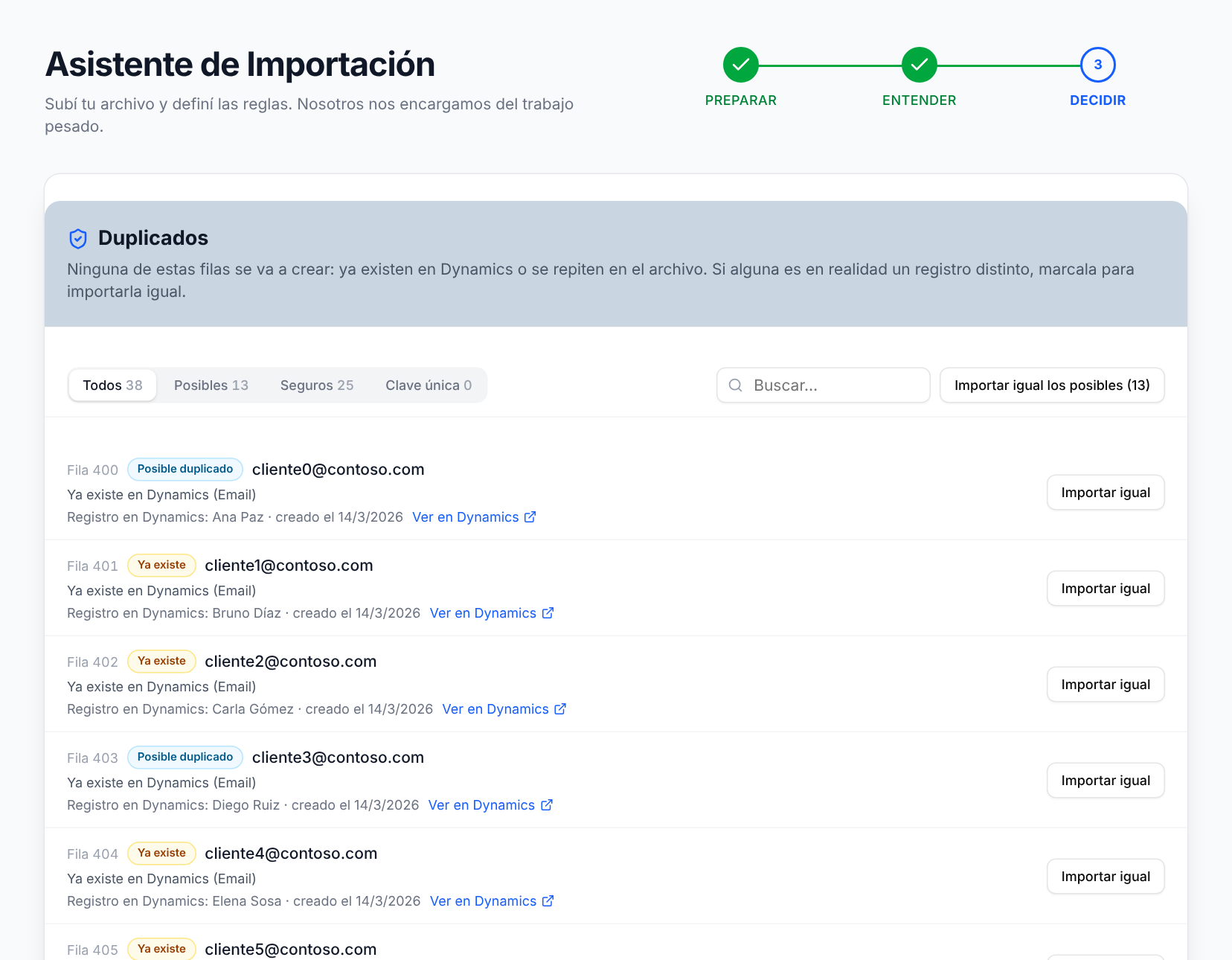
No. Por diseño, ImportToD365 solo crea los registros nuevos que aprobaste en el diagnóstico. Nunca actualiza ni elimina registros existentes. Si detectamos un posible duplicado, te lo mostramos cara a cara y vos decidís si entra.
¿Cómo detecta los duplicados?+
Usa las reglas de detección de duplicados publicadas en tu organización y, si la entidad no tiene, reglas por defecto (por ejemplo, email o teléfono para los contactos). Compara cada fila contra tu CRM en vivo y contra el resto del archivo, y te muestra cada coincidencia junto al registro que ya existe para que decidas.
¿Se disparan mis plugins, workflows y flujos de Power Automate?+
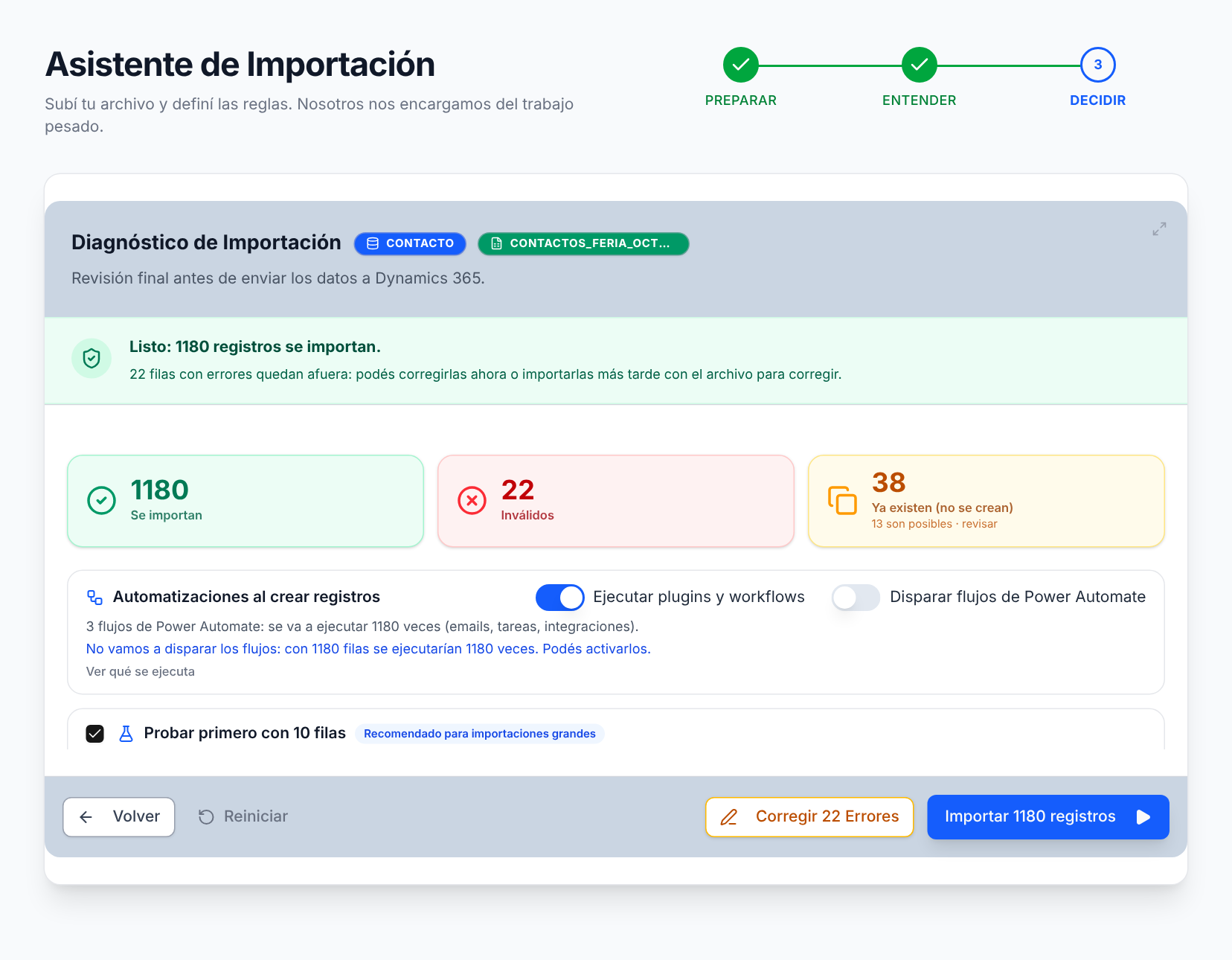
Lo elegís vos antes de importar. Te mostramos qué automatizaciones tiene esa entidad y decidís si se ejecutan. En importaciones grandes, los flujos vienen apagados por defecto para no disparar miles de emails o tareas. Omitir plugins requiere que tu usuario tenga ese privilegio en Dynamics.
¿Puedo probar con pocas filas antes de importar todo?+
Sí. Con la importación de prueba creamos las primeras 10 filas y pausamos: las revisás en Dynamics y, si está todo bien, seguís con el resto sin duplicar las de prueba.
¿Qué pasa si se corta la conexión o cierro el navegador?+
La importación corre en nuestros servidores, no en tu navegador. Si tu sesión de Microsoft vence, se pausa sola y la retomás desde donde quedó, sin duplicar filas.
¿Qué pasa con las filas que fallan?+
Quedan en el reporte con el motivo exacto de cada una. Con «Corregir y reintentar» vuelven al asistente en un clic: las corregís y las importás sin armar un Excel nuevo. Las que ya se crearon no se repiten.
¿Qué archivos acepta?+
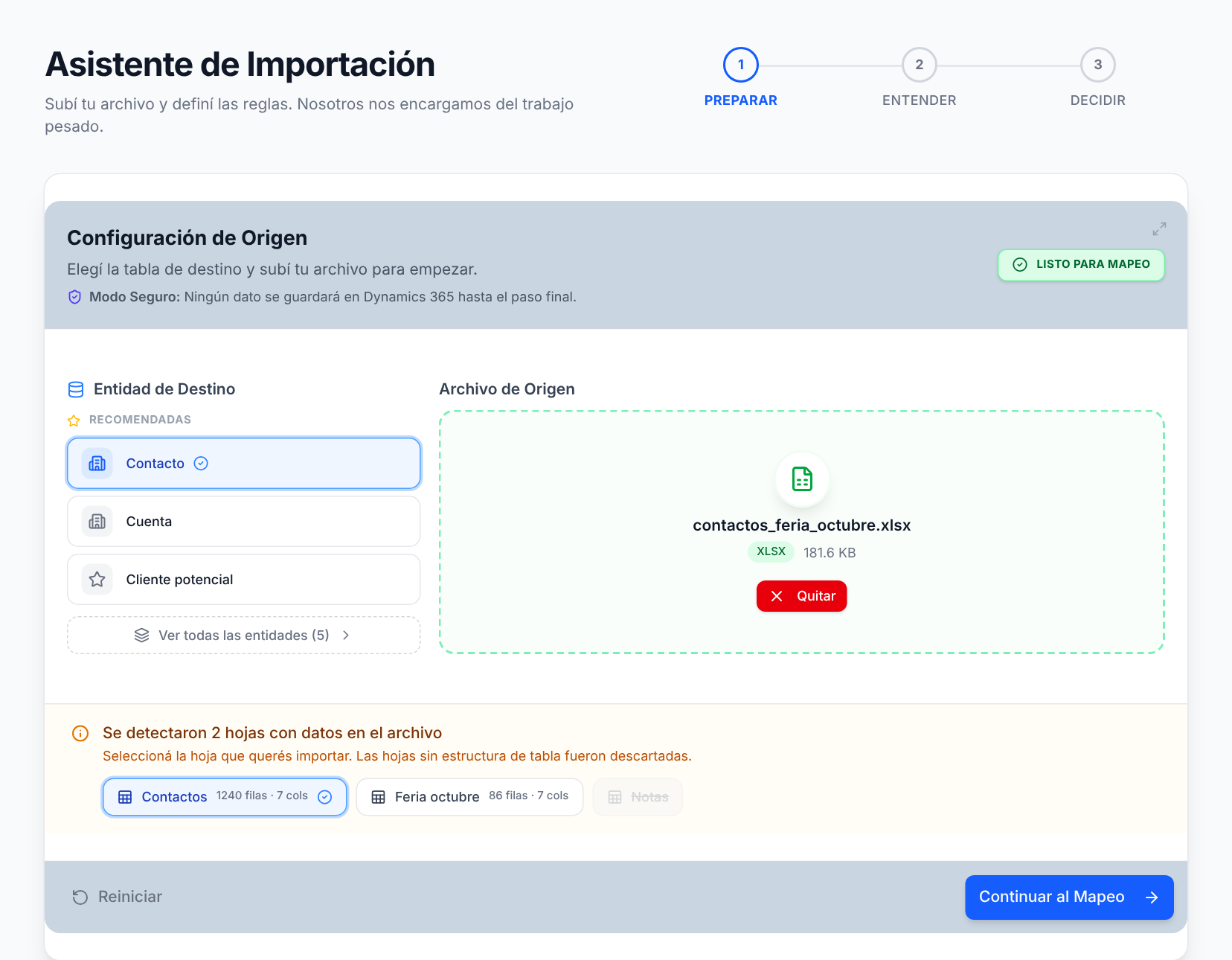
Excel (.xlsx o .xls) y CSV, hasta 50 MB. Si el archivo tiene varias hojas, elegís cuál importar. Si empezás de cero, descargás desde el asistente una planilla modelo de la entidad.
¿Qué entidades soporta?+
Lead, Contact (Contacto), Account (Cuenta), Opportunity (Oportunidad) y Product (Producto). ¿Necesitás otra entidad o una función a medida? Contanos y lo evaluamos.
¿Puedo probarlo antes de pagar?+
Sí. El plan Free incluye 500 filas por mes, con todas las funciones y sin tarjeta de crédito. Las dudas sobre packs, Pro y cuota están en Precios.
¿Maneja datos sensibles de forma segura?+
Entrás con tu cuenta de Microsoft (Entra ID) y la herramienta trabaja con tus propios permisos de Dynamics: nunca ve ni guarda tu contraseña. Tus datos se procesan de forma transitoria para validar e importar. Descargás tu reporte en Excel y, a los pocos días, los datos de la importación se eliminan de nuestros servidores. El detalle está en Seguridad y arquitectura.
¿Funciona con entornos on-premise?+
Por ahora solo con Dataverse / Dynamics 365 online.